
Google Calendar Just Met Your Texts (And They Get Along Great)
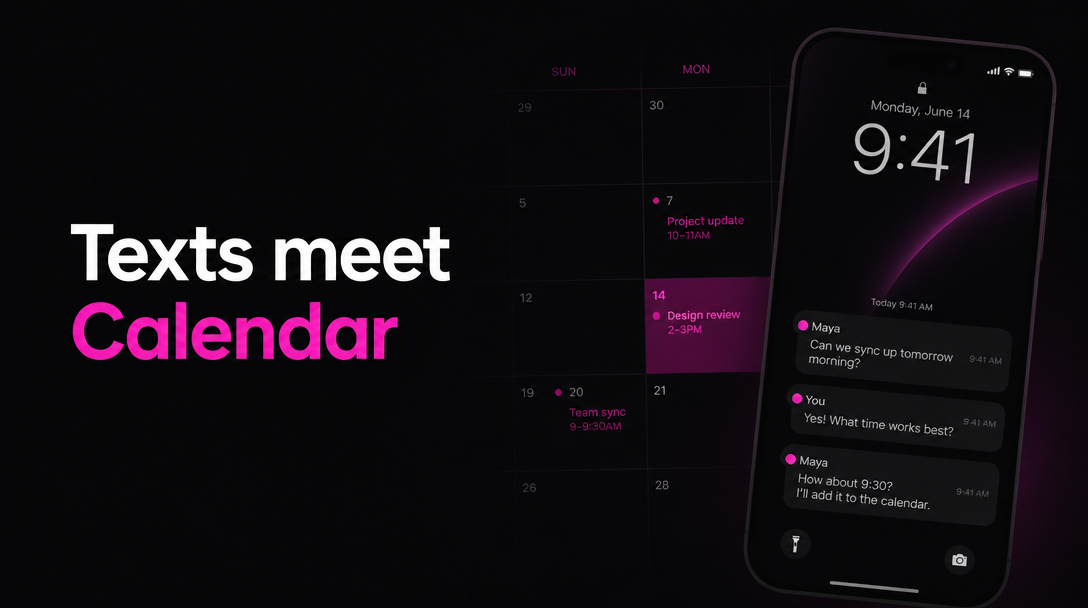
I used to forget everything. Doctor appointments, birthday dinners, that work thing I definitely RSVP'd to but have zero memory of. My calendar was there, sure, but opening the app, typing in all the details, picking a time... it never happened fast enough to keep up with real life.
Then I connected Google Calendar to AI Chat SMS. Now I just text my calendar. Like it's a friend. And weirdly, that's all it took.
Setting it up (it takes 60 seconds)
Before you do anything fancy, you need to connect your Google Calendar. Three steps, maybe a minute.
Text /connect calendar
Send the command to AI Chat and you'll get back a secure link to connect your Google account.
Tap the link & authorize
Open the link, sign in with Google, and grant calendar access. Takes about 15 seconds.
You're connected
AI Chat texts you a confirmation. From here on, it can read and create events on your calendar.
That's the whole thing. You text a command, tap a link, and you're connected. Everything after this happens through regular text messages.
Snap a photo, add an event
This is the one that got me.
A coworker sends a flyer in the group chat. You see a poster on the bulletin board at work. Your kid brings home a permission slip with dates on it. Normally you'd either (a) forget about it, or (b) open Google Calendar and manually type everything in.
With AI Chat, you take a photo and text it.
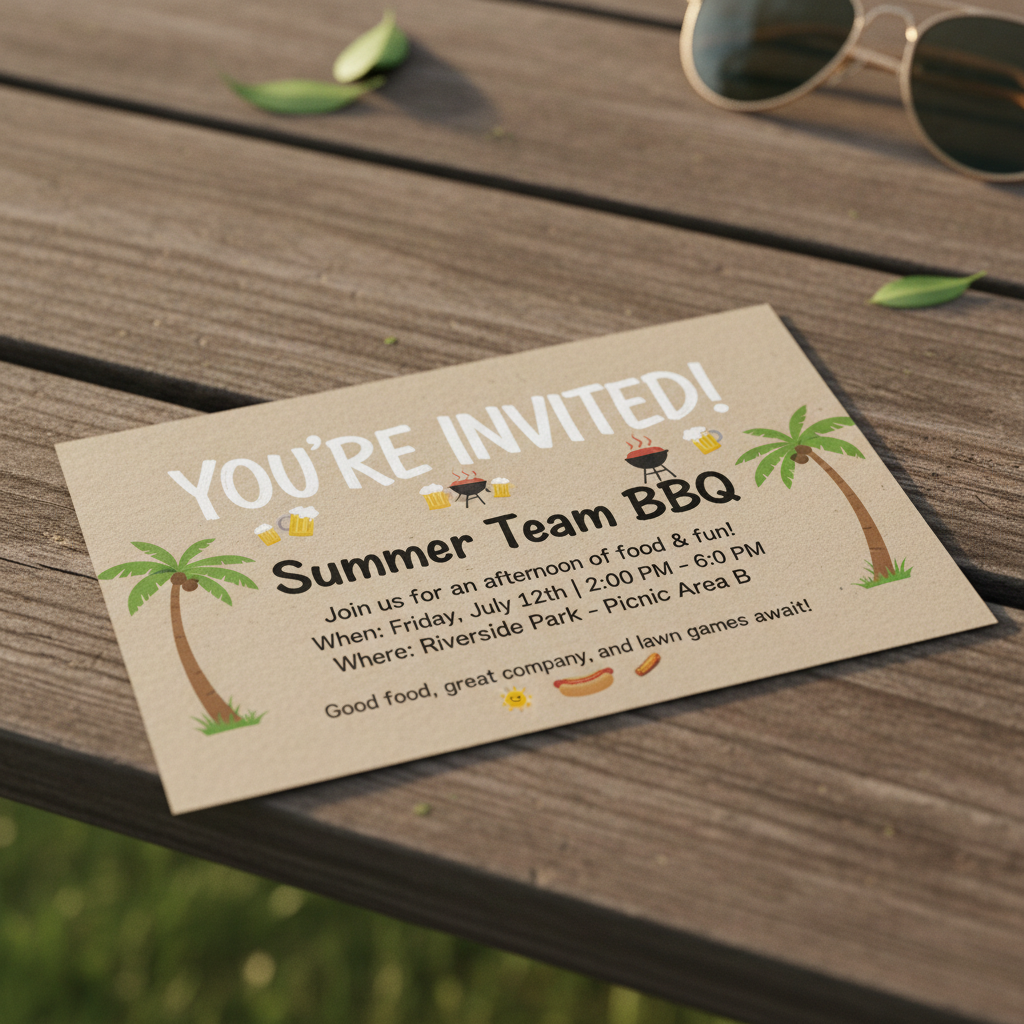
Add this to my work calendar
Done! I added "Summer Team BBQ" to your work calendar for Saturday, July 12th from 2–6 PM at Riverside Park. I also set a reminder for Friday evening so you don't forget.
It reads the image, pulls out the event name, date, time, and location, and drops it into your Google Calendar. No copying details from a photo into tiny date-picker fields. Just snap and send.
Works with screenshots of email invites, photos of printed schedules, a picture of your friend's save-the-date card on the fridge. If there's event info in the image, it finds it.
Monday morning weekly summary
I used to start every week by staring at my calendar app, squinting at tiny colored blocks, trying to mentally map out the next five days. Now I just wake up and it's already in my texts.
You set it up once:
Every Monday at 7am, send me a summary of my week from Google Calendar
Got it! I'll send you a weekly briefing every Monday at 7:00 AM with your upcoming week from Google Calendar.
Then every Monday morning, before you've even gotten out of bed:
Good morning! Here's your week: 📅 Monday • Team standup — 9:00 AM • Lunch with Sarah — 12:30 PM • Dentist appointment — 4:00 PM 📅 Tuesday • Product review — 10:00 AM • Pick up dry cleaning (reminder) 📅 Wednesday • All-hands meeting — 11:00 AM • Jake's soccer game — 6:00 PM 📅 Thursday • Focus time (no meetings) • Date night — 7:30 PM 📅 Friday • Sprint retro — 2:00 PM • Summer Team BBQ — reminder set Looks like a full week! Wednesday and Thursday are your lightest days.
Everything from your Google Calendar, as a text message. One glance and you know what's coming.
You can ask follow-up questions right in the same thread too. "What time is the dentist?" or "Move the product review to 11." It already has your calendar context, so those just work.
Recurring events in plain English
You need something on your calendar every weekday and normally that means opening Google Calendar, creating an event, finding the "repeat" dropdown, selecting "custom," picking the right days...
Or you text one sentence.
Add an event to pick up my son from school every weekday at 3:30pm
All set! I created a recurring event "Pick up son from school" every weekday (Mon–Fri) at 3:30 PM on your calendar. I'll also send you a reminder at 3:15 PM each day so you're never late.
It understands "every weekday," "every other Thursday," "first Monday of the month," basically however you'd say it to another person. And it added a 15-minute buffer reminder on its own, which I appreciate.
Need to change it later? Text "move the school pickup to 3:45" and it updates the recurring event. No digging through repeat settings.
The actual problem this solves
There are a lot of calendar apps. Some are really good. But the part where I always fell off wasn't the calendar itself. It was the gap between thinking "I need to remember this" and actually putting it on the calendar. That's where everything got lost. I'd tell myself I'd add it later and then never did.
Texting removes that gap. The thought and the action are the same thing. You don't switch apps, you don't navigate anything. You're already in your messages, so you just... say it.
And because it's SMS, it works in the car (dictate it), at the grocery store, in bed at midnight when you suddenly remember tomorrow's thing.
That's the whole pitch, honestly. Connect your Google Calendar, and your texts become the fastest way to manage your schedule. I've been using it for a few weeks now and I keep being surprised by how much more ends up on my calendar just because the friction is gone.
Ready to text your AI?
No app to download. Text us to start — one tap opens Messages with our number. 50 free messages to start.
Text (305) 588-2170
US & Canada only. Standard message rates apply.